|
|||||||||
|
Main Window |
|||||||||
|
You are here: Tutorials > Main Window |
|||||||||
|
|
|||||||||
|
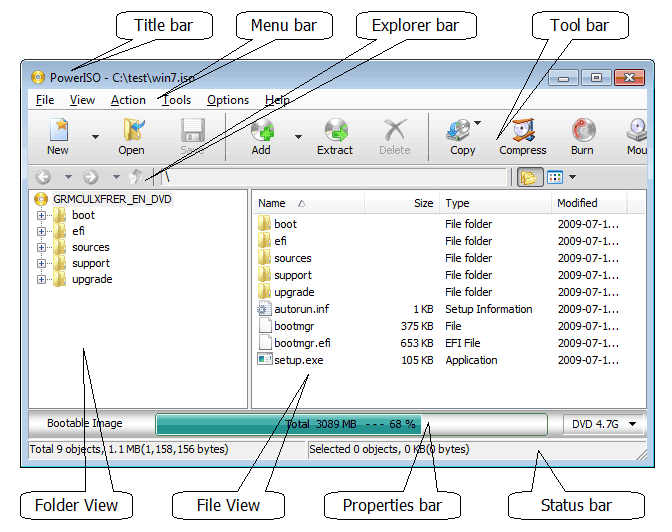
PowerISO main program user interface includes the following parts:
|
|||||||||
|
Copyright 2004-2024 Power Software Ltd. All rights reserved. |
|||||||||
|
|||||||||
|
Main Window |
|||||||||
|
You are here: Tutorials > Main Window |
|||||||||
|
|
|||||||||
|
PowerISO main program user interface includes the following parts:
|
|||||||||
|
Copyright 2004-2024 Power Software Ltd. All rights reserved. |
|||||||||