Home

Download

Buy Now

Tutorials

Contact US

How to use PowerISO as ISO Burner?

You are here:  Tutorials > How to use PowerISO as ISO Burner?


PowerISO has a built-in CD / DVD burning engine. You can use PowerISO as an ISO burner. It can also burn other image files. You do not need install any other burning software.

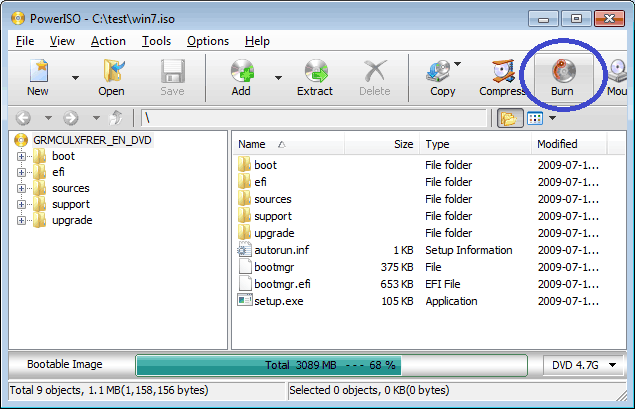
  • Run PowerISO, click the "Open" button on toolbar or choose "File > Open" menu to open an existing iso file. You can also open the iso file by simply double clicking on it.

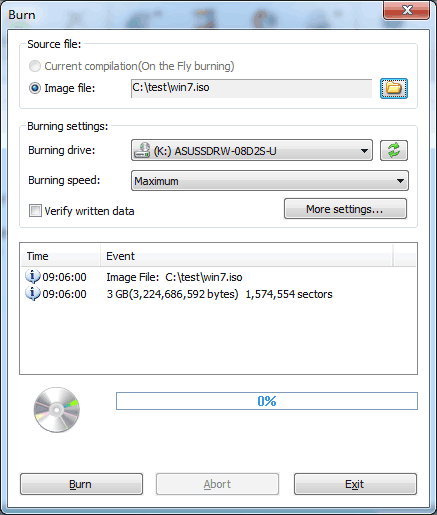
  • Click the "Burn" button on toolbar. PowerISO shows the iso burner dialog.

  • Choose the burning drive which holds the disc you want to burn.

  • Choose the burning speed. The default burning speed is the maximum speed supported by the drive and the media.

  • Check the option "Verify written data" to verify the data after burning.

  • Click "Burn" button to start burning.


Copyright 2004-2010 PowerISO Computing, Inc. All rights reserved.